> For the complete documentation index, see [llms.txt](https://help.doraverse.com/llms.txt). Markdown versions of documentation pages are available by appending `.md` to page URLs; this page is available as [Markdown](https://help.doraverse.com/jp/feature-list/ai-notetaker.md).
# AIノート作成
すべてのミーティングを、トランスクリプト・構造化ノート・アクション項目付きで記録できます。
[AIノート作成とは何ですか?](#aintotohadesuka)
[DoraverseでAIノート作成を始める方法](#doraversedeaintowomeru)
## AIノート作成とは何ですか?
AIノート作成は、ミーティングの面倒な部分(ノートや次のアクション)を自動で処理し、チームが会話に集中し、迅速に実行できるようサポートします。
### AIノート作成の機能
* ライブのミーティングやアップロードした録音を、トランスクリプトと分かりやすい構造化ノートに変換します。
* タグを使ってミーティングを整理し、簡単に検索できるようにします。
* 議論からアクション項目(タイトル、詳細、担当者、期限)を自動生成し、すべて編集可能です。
* ミーティングを検索可能・共有可能・管理しやすくします。
{% hint style="success" %}
AIノート作成は現在ベータ版です。機能は今後変更される可能性があります。
{% endhint %}
***
## DoraverseでAIノート作成を始める方法
ワークスペースの左ナビゲーションからAIノート作成を開くと、2つのシンプルなタブが表示されます。
* **ミーティング**:記録またはアップロードしたセッションの一覧です。
* **アクション項目**:ミーティングから生成されたすべてのタスクです。
#### ミーティングを記録する
準備ができたら**新規ミーティング**をクリックし、記録方法を選択します。
* **ミーティングを録音**:AIノート作成がライブセッションを録音し、ノートを自動作成します。あなたは会話に集中できます。
* **ミーティングをインポート**:既存の録音ファイルをアップロードして処理します。対応フォーマット:mp4、mp3、mov。
 録音またはアップロード後、AIがトランスクリプトを作成し、ノートを構造化し、アクション項目を提案します。
#### レビューと編集
* **タグ**(例:チーム、プロジェクト、四半期)を追加して、セッションを整理し、後から簡単に見つけられるようにします。
録音またはアップロード後、AIがトランスクリプトを作成し、ノートを構造化し、アクション項目を提案します。
#### レビューと編集
* **タグ**(例:チーム、プロジェクト、四半期)を追加して、セッションを整理し、後から簡単に見つけられるようにします。
 * **ノート**:ミーティングノートを直接編集し、表現を調整したり、決定事項を強調したり、背景情報を追加できます。
 * **トランスクリプト**:話者の誤表示を修正できます。
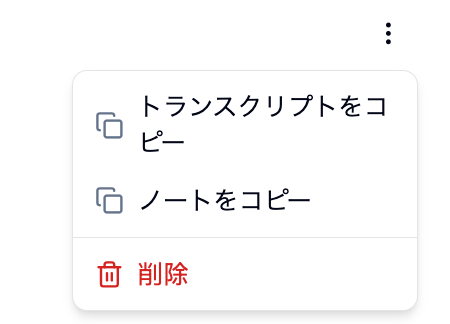
 共有したい場合は、トランスクリプトやノートをコピーできます。
 * **アクション項目**:AIが提案する次のステップを確認し、タイトルや詳細を編集したり、担当者や期限を設定したり、必要に応じてタスクを追加できます。
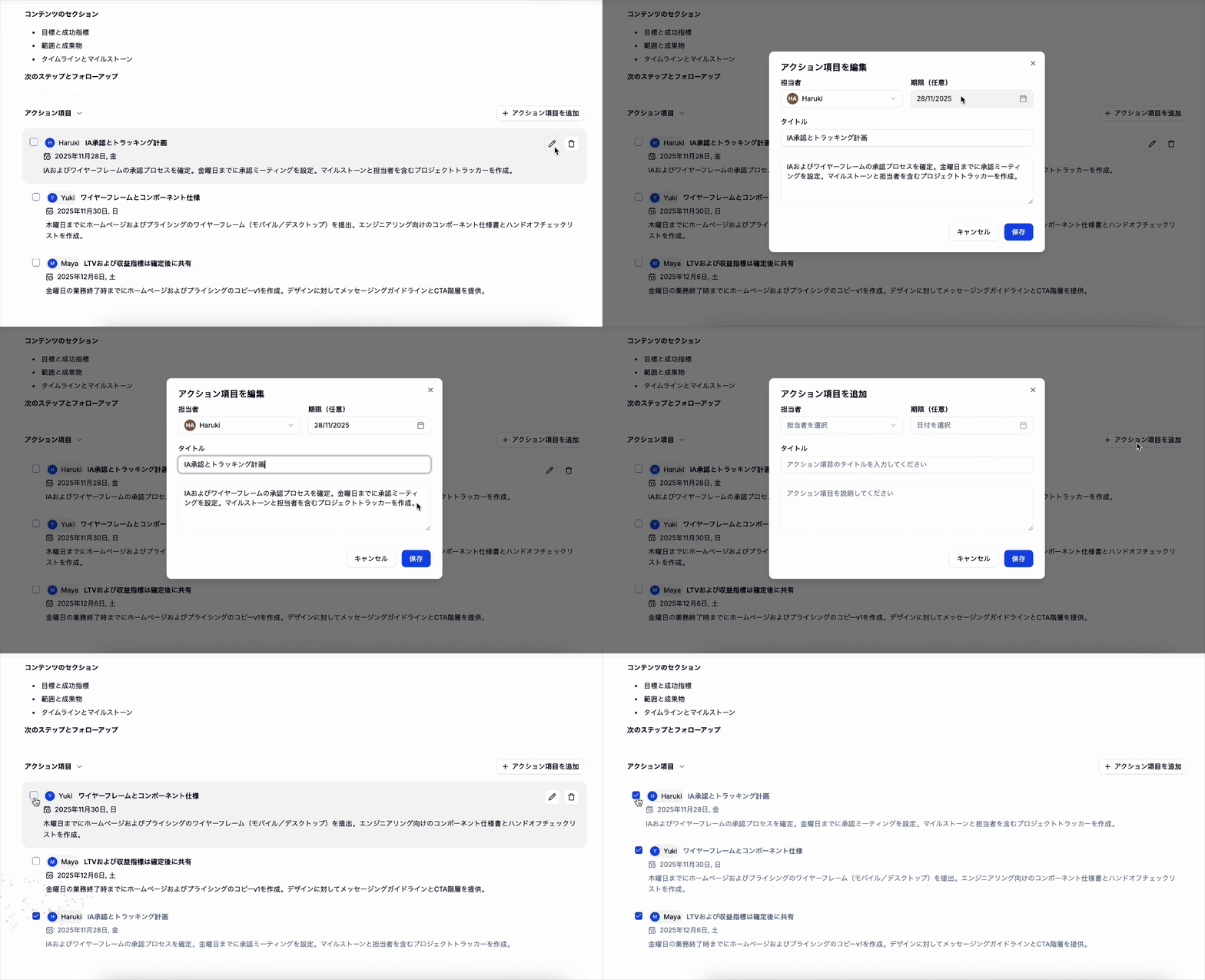 すべて編集可能なので、チームの運用に合わせてカスタマイズできます。
***
ぜひお試しください。AIノート作成を開くだけで、ノート作成が自動化されます。
すべて編集可能なので、チームの運用に合わせてカスタマイズできます。
***
ぜひお試しください。AIノート作成を開くだけで、ノート作成が自動化されます。